
This guide will instruct you to create a LoRaWAN Multicast group and send Multicast downlink from LoRaWAN Server to a Multicast group.
- Multicast downlinks are usually used to send remote configuration commands (sending interval, reboot, customed RS485 commands…) to a group of nodes.
- Easy LoRaWAN Server: lorawan.easylorawan.com
What is LoRaWAN Multicast?
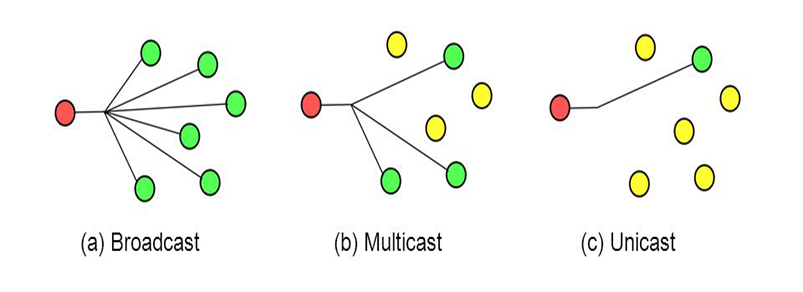
LoRaWAN Multicast group is a concept of grouping LoRaWAN nodes together to receive the same set of downlinks from server.
- We can send a single downlink to the multicast address and all LoRaWAN nodes in the same multicast group will receive the downlink.
- Multicast group will ease the downlink management and save the bandwidth of sending multiple downlinks to each of the LoRaWAN nodes.
- All LoRaWAN nodes in the same multicast group share the same multicast-address, session-keys and frame-counter.
- A LoRaWAN node can have up to 04 multicast groups.
Steps
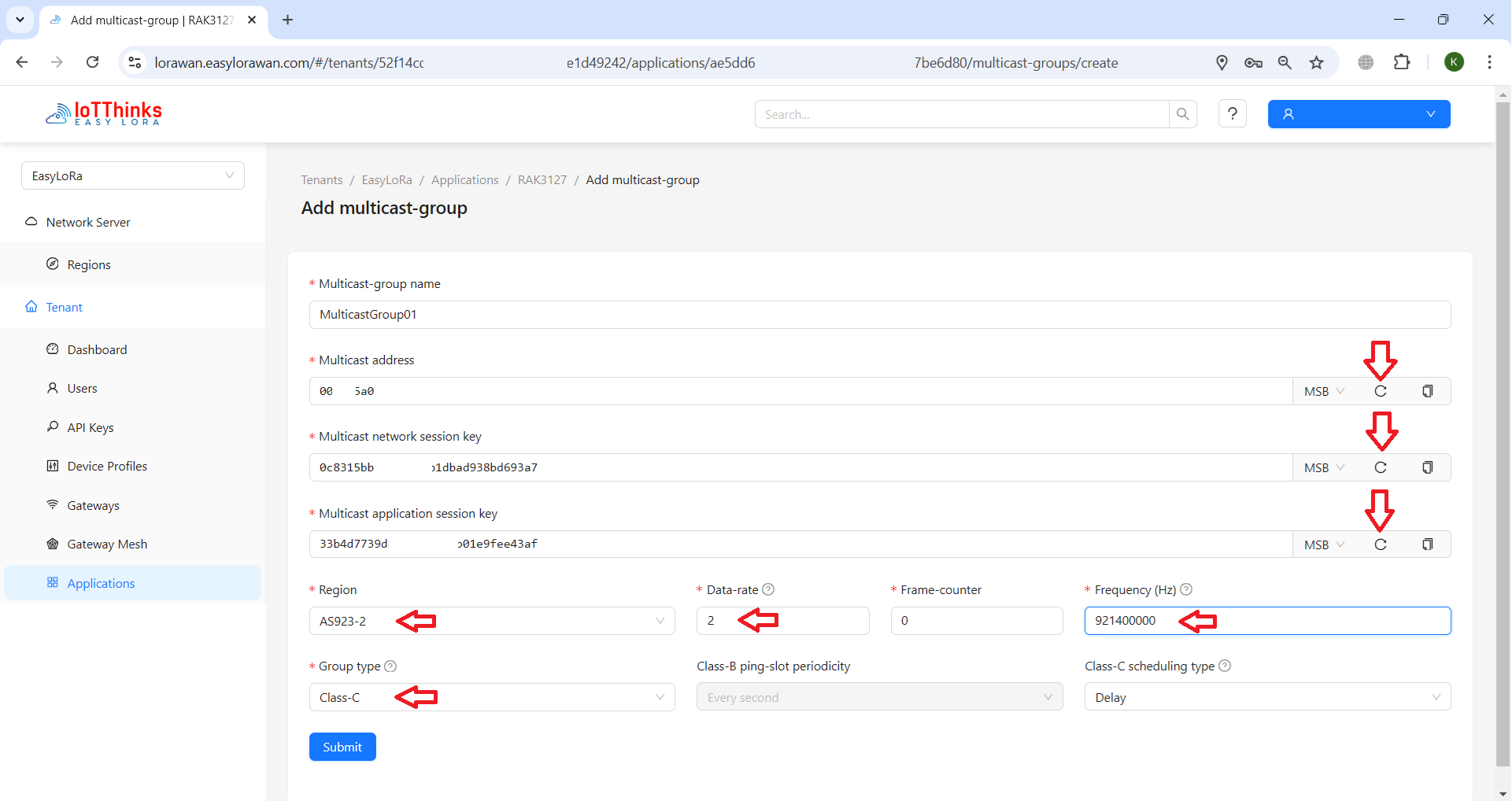
Step 1: To create a Multicast group in Easy LoRaWAN Cloud
- To click to generate a random Multicast address, network session key and application session key. These address and keys will be used later to import to LoRaWAN nodes
- To select the correct Region.
- To select Class C. Class A is not supported and Class B is seldom used.
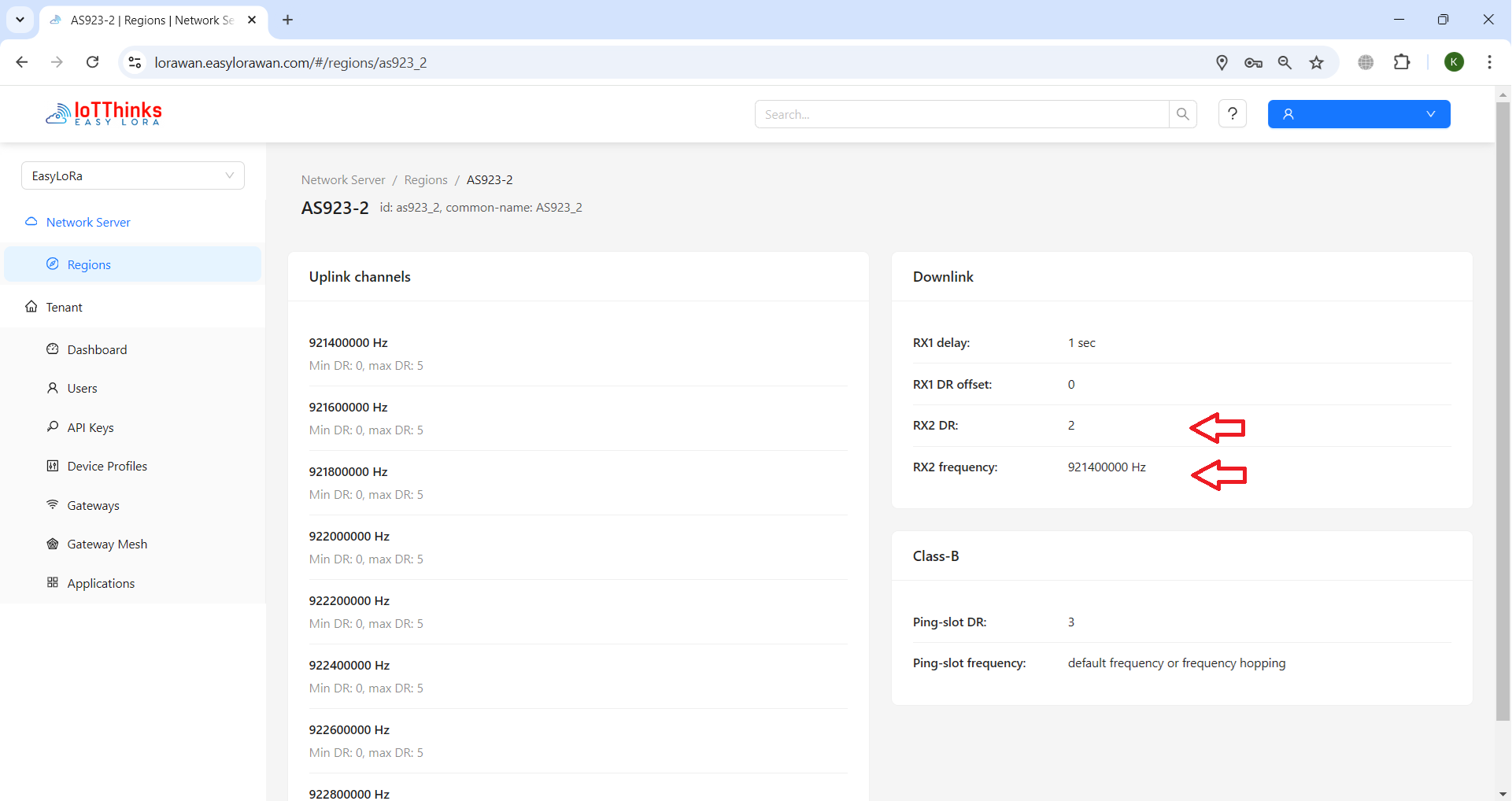
Step 2: Make sure you select correct data-rate and Frequency.
- They are from RX2 of your region.
- This is IMPORTANT to key in the correct values.
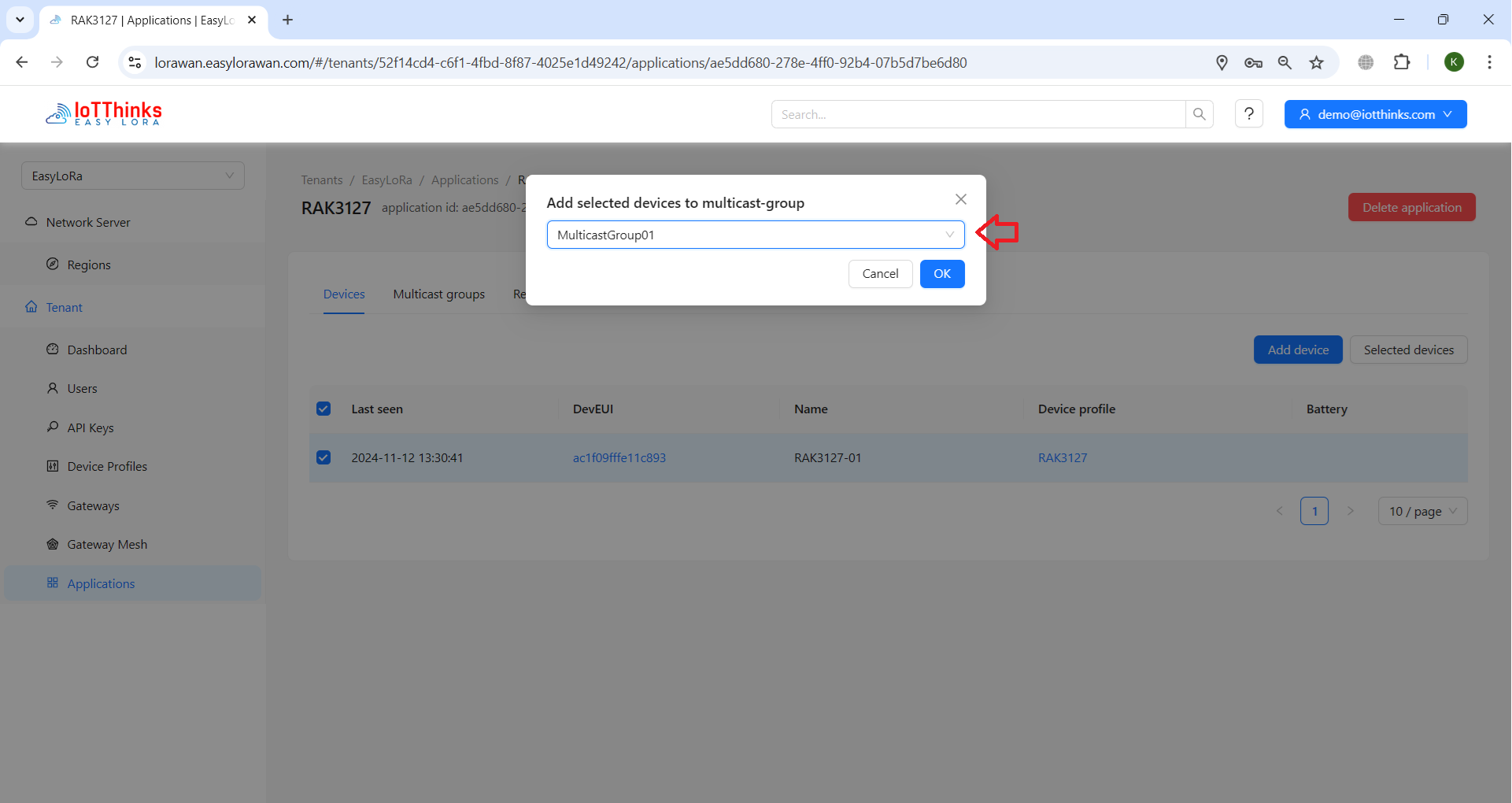
Step 3: To add the LoRaWAN node / device to the Multicast group
- You can add multiple nodes / devices to the multicast group.
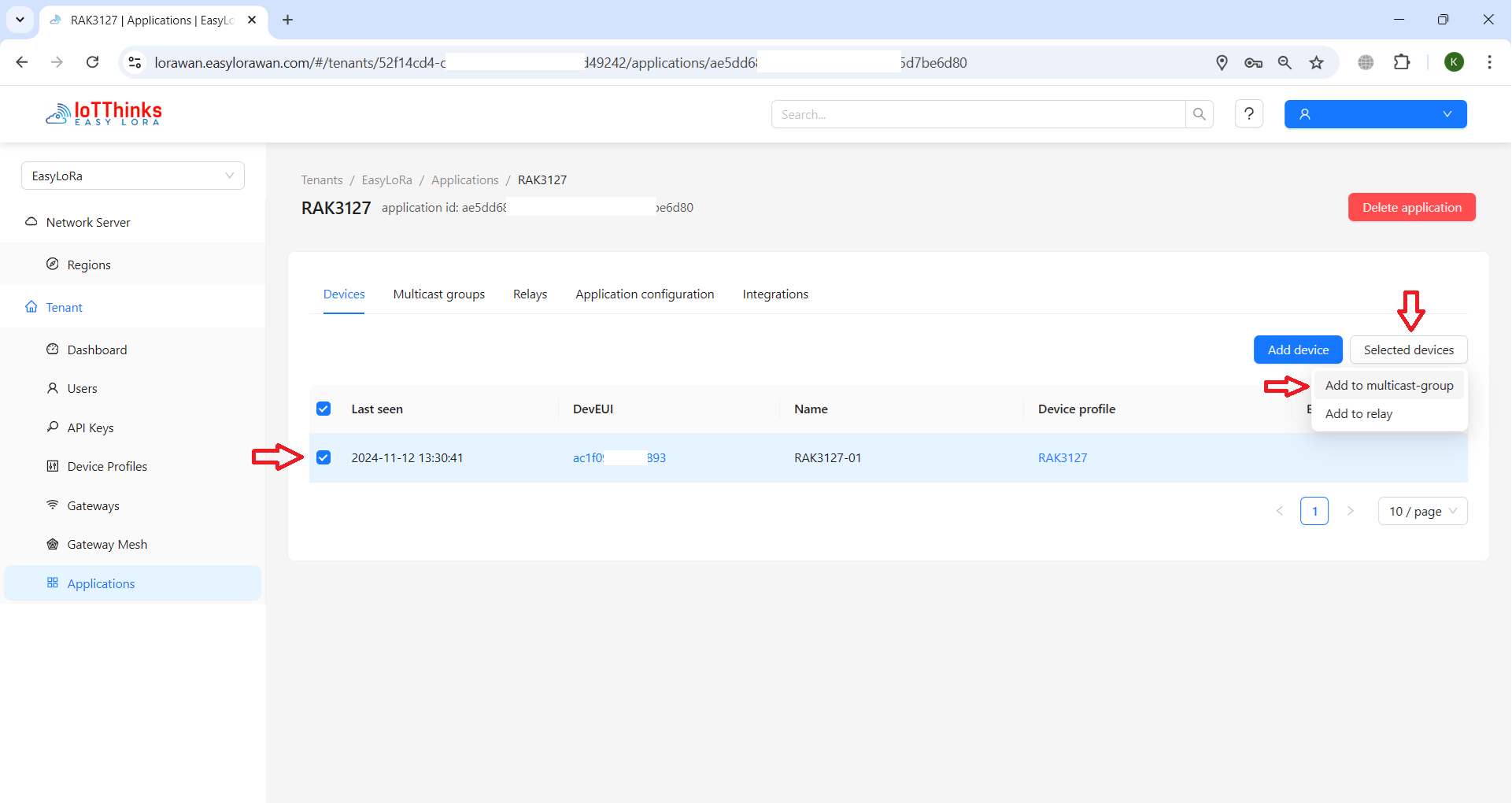
- Select a multicast group to add the devices/nodes.
Step 4: To configure LoRaWAN nodes to join multicast group at nodes
- Your nodes MUST be Class C. Class B is seldom used.
- For RAK modules: To configure a LoRaWAN RAK node to join LoRaWAN multicast group
Step 5: To let LoRaWAN nodes to join and send uplink successfully.
Step 6: To send multicast downlink
- From Web GUI
- From LoRaWAN API
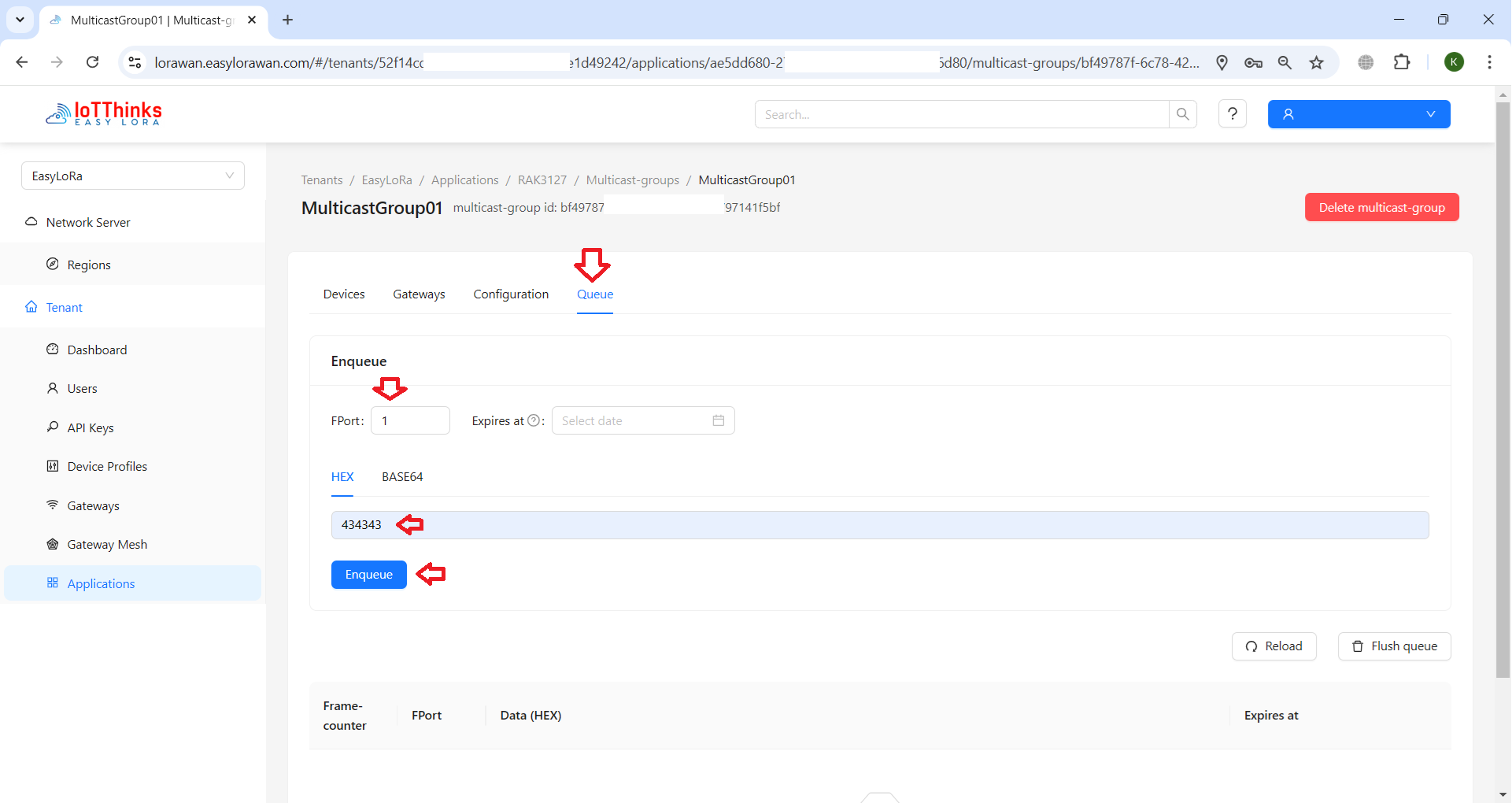
Step 7: Your node should receive the multicast downlink as expected.
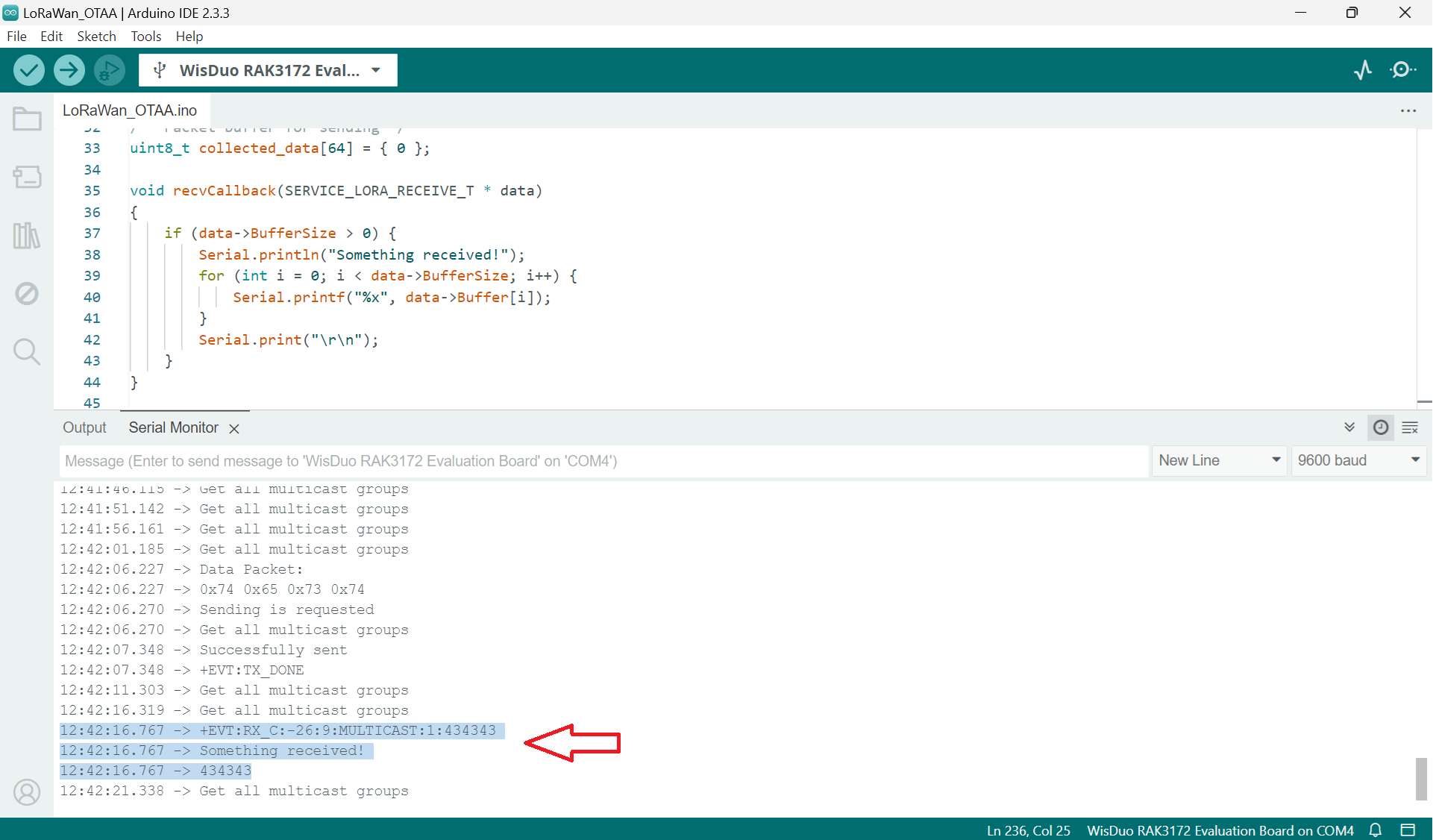
Enjoy the power of LoRaWAN Multicast.


Thanks for the great guide.
I finally make my LoRaWAN multicast working with my RAK3172.
Yes, glad the guide is helpful for you.
You need to understand the flow to make it work.